
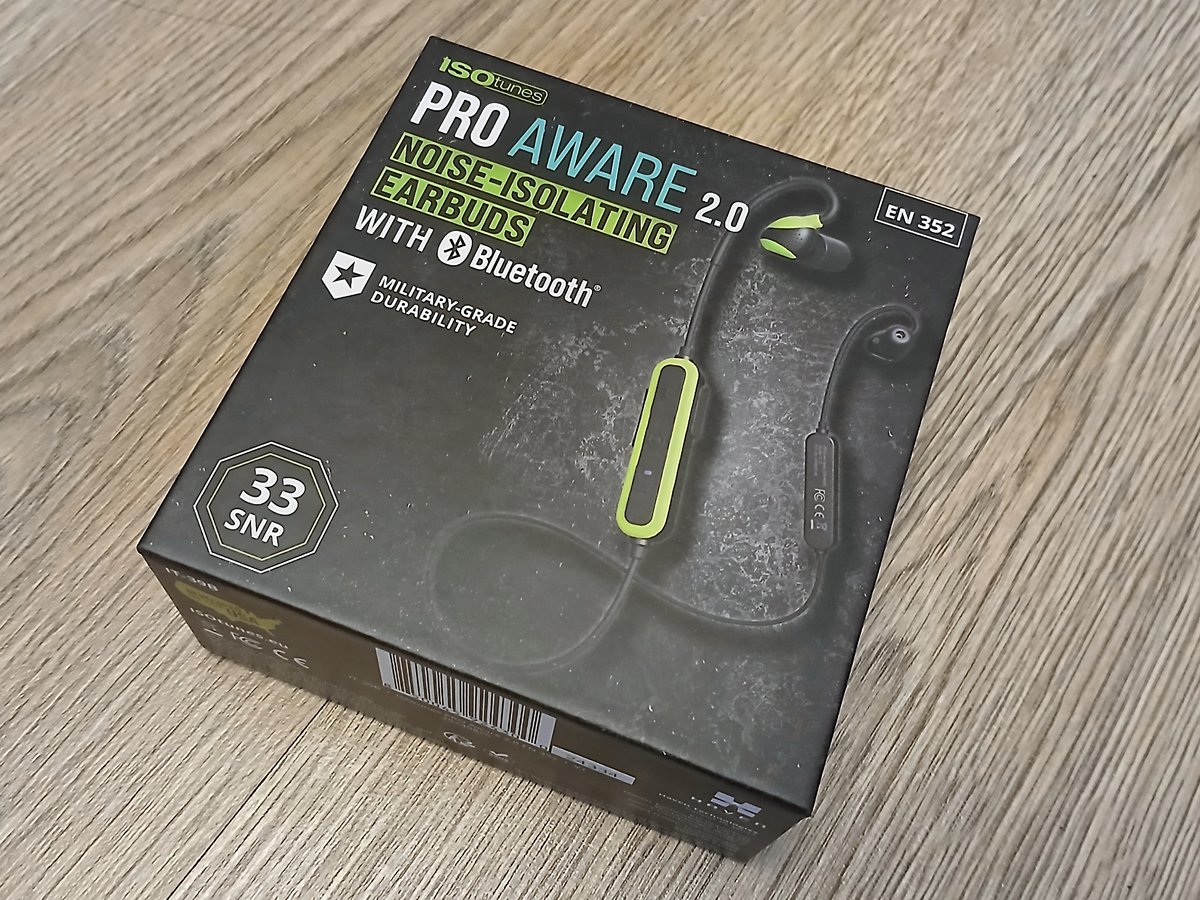
ISOtunes Pro Aware 2.0 Review Update
Back in August 2025 I posted a review blog for the ISOtunes Pro Aware 2.0 noise-isolating earbuds. In that blog I gave a fairly detailed rundown of my experience of this product, having used this hearing protection for about six months, at the time of writing. If you haven’t read that blog yet, then you can click here to do so.
In this article, I wanted to provide a quick update as to what has happened in the intervening months, since that review was written.
Charge – No Charge
Everything was going fine with the ISOtunes Pro Aware 2.0 earbuds, until about two months after the blog was posted. On a full charge I usually got around four six-hour shifts out of them, before getting a ‘Low Battery’ message.
I charged them fully on a Wednesday afternoon, then part way through my Thursday shift I got the “battery low, please charge” message, which I thought was strange. So, I charged them again that afternoon and eventually got the blue LED indication that the set was fully charged. When I went to use them on Friday, however, they wouldn’t even power on.!? Not a happy bunny.
Troubleshooting
Having a background in IT technical support and troubleshooting, I wanted to try a few things first, before getting on to ISOtunes support. At best, it could just be a dodgy charge cable, or at worst (hopefully not) a failure of the USB 2.0 port on my laptop.
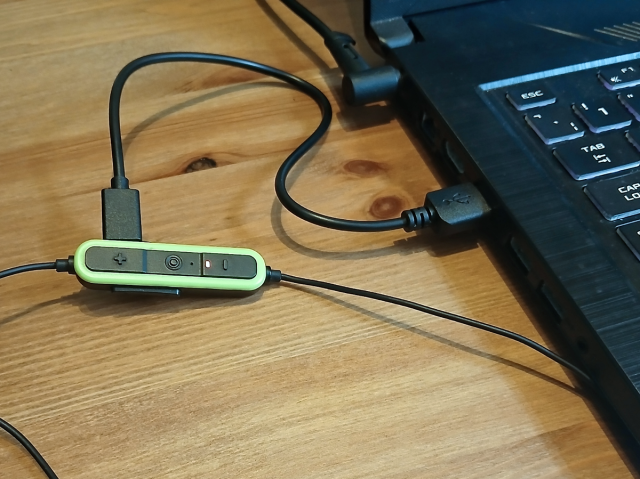
I found a different USB-A to USB-C charge cable and plugged the ISOtunes Pro Aware 2.0 earbuds into one of the two USB ports on the side of my laptop. As I watched the LED indicator, it showed red for a while, then went out, relit blue for a few milliseconds, then turned red again. This is where the cycle repeated.
For completeness sake, I tried putting the new charge cable into the other USB port, but I was confronted with the same sequence. Just to make sure both of the laptop USB 2.0 ports were working correctly, I whipped out my Wacom Intuos Pro XL Pen & Touch tablet. Thankfully, both ports worked fine (phew!).
Warranty Support
As my earbuds were still well within the 12-month warranty period, I headed over the ISOtunes website and navigated to the ‘Returns & Replacements’ page. Here was a link to an online form for ‘defects & replacements’. This took me all of five minutes to complete (once I’d found my original order email), and the only section I couldn’t complete was the entry for the unit’s 5-digit batch number. As I couldn’t see anything like it anywhere on the product.
Once I’d hit send, all I could do was wait, and in the meantime, resort to using regular foam in-ear hearing protection.
First Responder
Three days after I’d submitted the online form, I had an email waiting in my inbox from Sadie at ISOtunes UK/Europe Customer Services. The first question they asked was; “how did I charge my earbuds?”, as they stated that:
We recommend only using a wall charger with a maximum of 5 Volts. Using a charger rated higher than 5V may damage the headphones. Be especially careful of “quick” or “turbo” chargers that can supply 9V, 12V, or 15V. You can look on the back of the charger to see the Voltage rating. Overcharging can stress the battery’s cells, potentially shortening its lifespan and reducing its overall capacity.
They did suggest charging using a PC/laptop just to check, but as I only ever charge my set via my laptop anyway (plus I’d already tried that), I ignored that bit.
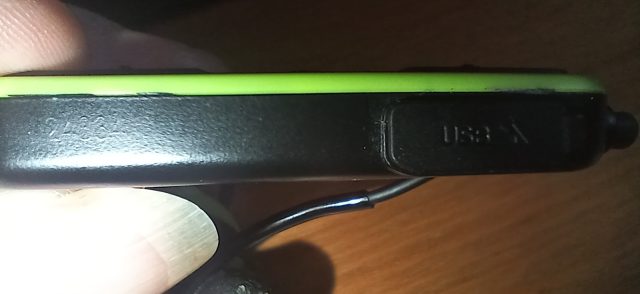
As for the 5-digit batch number, this (apparently) was on the side of the control unit of the ISOtunes Pro Aware 2.0. So, I had a look. Blimey bloody Charlie..! They don’t make it easy to find or see.
Retort & Replacement
My reply to this email explained that I only ever charge my set via the USB 2.0 ports on my laptop and described the LED sequence I was getting upon that last charge attempt. I also sent over the above image of the control unit (which took me multiple attempts to get the lighting right with the flash on my phone). I hit send and waited.
Within twenty minutes I had an email back from Sadie, to which I was extremely surprised at, yet also very happy about. They thanked me for the troubleshooting and explanation of my issue, and that they would be sending me out a replacement set under warranty. Woohoo..!
They arrived the next day and I was back to being a happy bunny. Also, I was never asked to return the faulty set, for whatever reason.
Live. Die. Repeat.
Fortune, however, did not favour me in this instance. As, within three months of receiving my replacement ISOtunes Pro Aware 2.0 earbuds the audio in the left earpiece crackled every time I turned my head in a certain direction. NOOoo..!
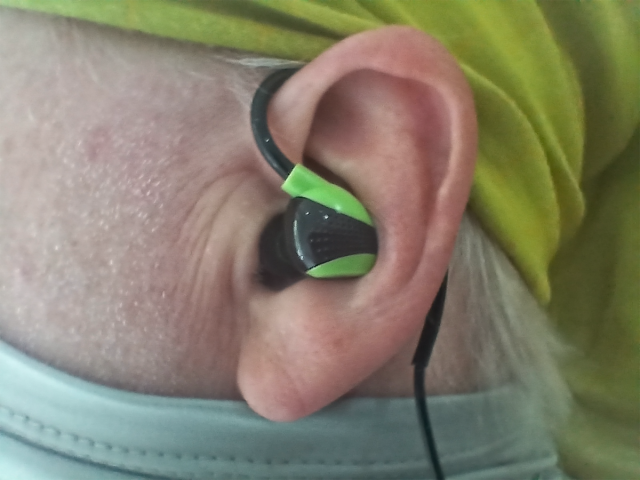
I managed to limp through my shift with this intermittent audio in my left ear, although it was extremely annoying and eventually the audio dropped out altogether. Back onto the ISOtunes website and more form filling it is, then, as they were still within the warranty period.
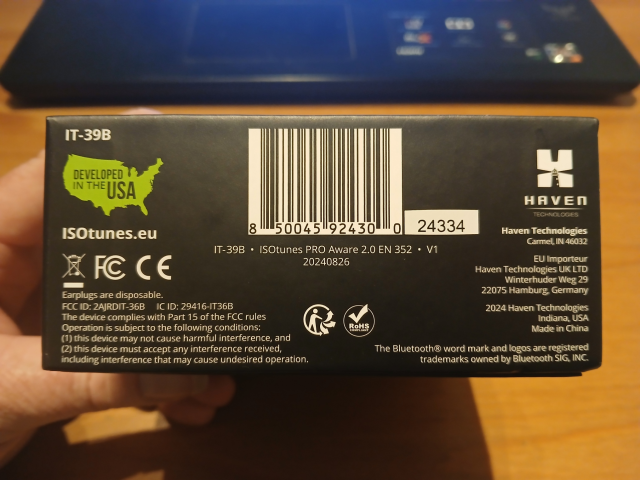
Whilst filling in the form for the second time, I did note that the 5-digit batch number was the same as my previous faulty set. I couldn’t find the number on the side of the control unit, as it appears to wear away very quickly. However, I did find it on the box the set came in, next to the product barcode.
Second Time Around
Within an hour of completing the form, I had an email back. This time it was from Bliss, also of ISOtunes UK/Europe Customer Services. They suggested that the “crackling” that I was experiencing may actually be external ambient noises.
The omnidirectional mics amplify all sounds in your environment. Ambient noises such as heaters, air conditioners, or even wind, [noises that] we often don’t pay attention to, will be amplified when the Aware volume is on.
The above is very true. As I mentioned in my original review blog, using the Aware technology seems to remove the Dolby noise reduction from my normal hearing range, so that I can hear higher frequencies.
Unfortunately, this issue was definitely a hardware fault.
Retort & Replace II: The Revenge
I explained to Bliss, in my reply, that this was definitely a loose connection in the left earpiece, as all audio (including the internal voice prompts for battery status, etc) drops out. I did mention that this was a replacement set, sent out to me under warranty, as my original set was deemed to have had a battery fault.
I also highlighted the fact that both sets were part of the same batch and could possibly be a faulty batch.
Again, within twenty minutes I had a response from Bliss, thanking me for my clarification of the issue and that a note had been sent to the engineers about the potential batch faults. Also, a new set would be sent out to me under warranty, hopefully with a better outcome.
The End?
The following day, the second replacement set of earbuds landed on my doormat. Again, with absolutely no request to return the faulty set, bizarrely. Also of note (and worryingly so), the batch number was the same as the two previous sets.
As of writing this blog, this third set is working perfectly. But, by the time this blog is posted, there will only be three days left on the warranty period. What if something goes wrong with this set after that date? Will I then have to fork out for another set?
If so, then I may have to look at other models, or indeed, other brands, as it appears that the ISOtunes Pro Aware 2.0 earbuds have reliability issues. Hopefully, this current set will last me longer than the eight months and three months respectively, of the other two sets.
Whatever happens, I’ll keep you posted.
Further Reading And Footnotes
For more information about me and all that is Silverhand Creative, go check out the About Me page on this website. I have a presence on Instagram and Facebook, where I post photos (and the odd video) of ongoing and finished projects. There’s also a YouTube channel, where you can see how I go about doing what I do and what tools I prefer to use. So, feel free (there’s no pressure) to follow and/or subscribe to any (or all) of the above.
If you’re feeling fruity, and would like to support my endeavours, then please head over to the silverhandstore.com Shopify store and treat yourself a little something. I am most definitely amenable to commission work and have a web form for you to get in touch, should you be looking for something a little more bespoke.
All trademarks (registered or otherwise) used in this blog lie solely with their respective owners.